
OCR package guide
Read image text with the Windows OCR engine.
Version 2.18.0. Installed versions can differ. Examples are illustrative and not tested.
Prerequisites
- A Windows Device with an OCR language pack. Add it in Windows Settings > Time & language > Language & region.
- Images must be PNG, JPG or another picture file. A web page or PDF does not work. For PDF text, use the PDF package. For a scanned PDF, save the page as an image first.
- For window actions, the desktop must be connected and unlocked, and the window on screen and not covered. The capture includes the window frame.
- Results depend on the image quality and the installed language.
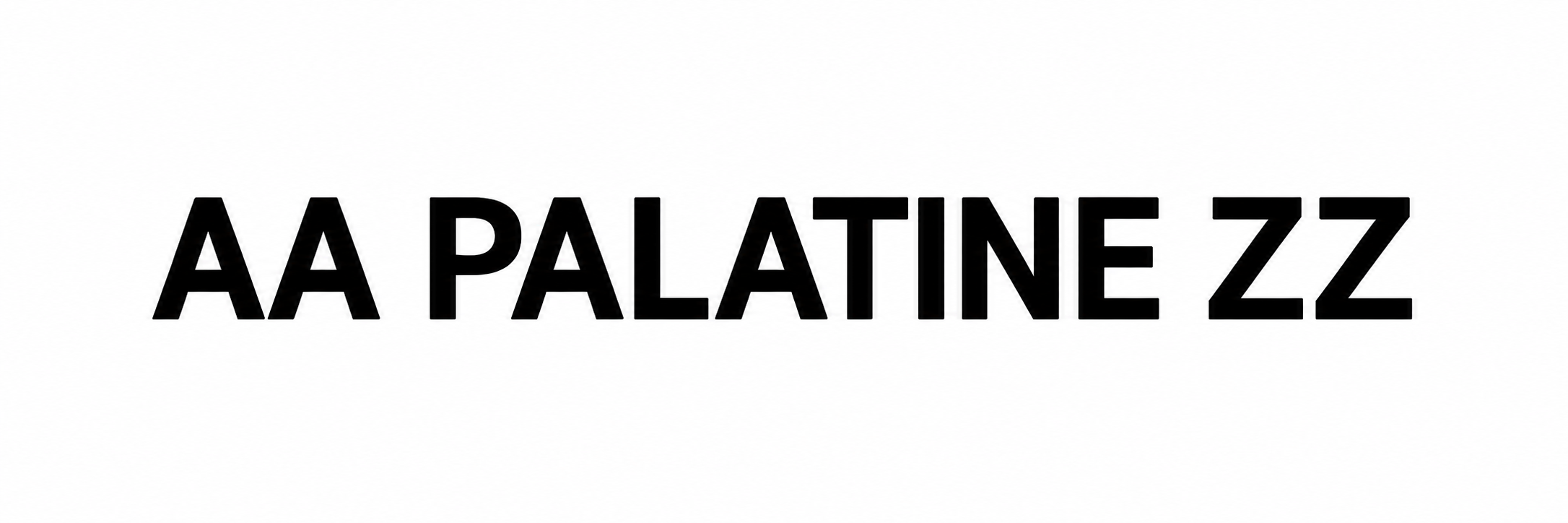
AA PALATINE ZZ. If recognition succeeds, the example filter and trimming give PALATINE.Shared fields
All inputs are optional.
| Field | Editor field | Type and runtime default | Applies to | Use |
|---|---|---|---|---|
pdf | PDF path | String; "" | ocr | Not used. It shows when Source is Pdf, and that source always fails. Leave it empty and choose the image source. |
pdf | PDF URL | String; "" | ocr | Not used. It shows when Source is Pdf, and that source always fails. Leave it empty. |
pdf | PDF password | Credential; empty Credential | ocr, ocr | Not used, like the other PDF fields. |
pdf | Page number(s) | String; "" | ocr, ocr | Not used, like the other PDF fields. |
check | Filter the captured text | Boolean; false | ocr, ocr, ocr, ocr | true applies the After and Before markers. false ignores them. The filter runs before the trim. |
after | After | String; "" | ocr, ocr, ocr, ocr | With the filter on, keep the text after the first exact match of this marker, without the marker. Case matters. If the marker is empty or not found, the start does not change. |
before | Before | String; "" | ocr, ocr, ocr, ocr | With the filter on, keep the text before the first exact match of this marker in the text left after After, without the marker. If the marker is empty or not found, the end does not change. |
check | Trim the captured text | Boolean; false | ocr, ocr, ocr, ocr | true removes spaces at both ends, after the filter. false keeps them. |
ocr | Select locale | Ocr; Based | ocr, ocr, ocr, ocr | Based (a language of the signed-in Windows user), English, Japanese or Russian. If its language pack is not installed, the step fails and names the languages that are installed. |
window | Window title | String; "" | ocr, ocr | Title of an open window, e.g. Invoice Preview. The step fails if it is not found. The capture reads the pixels on screen. |
window | Match the title | Window; Contains | ocr, ocr | Contains (part of the title), Exact, Wildcard (*, ?), Regex, or Active (the window in front; the title is ignored). Case does not matter. If several windows match, the newest one is used. |
wait | Wait before capturing the image (ms) | Number; 0 | ocr, ocr | Milliseconds to wait before the capture. 0 or less: no wait. The window is found first, so the delay does not wait for a window to open. |
| Output | Type | Applies to | Meaning and binding |
|---|---|---|---|
result | String | ocr, ocr, ocr, ocr | The text read, after the filter and trim. Save it in a String variable. It can be "" when no text is read. There is no confidence score. |
Actions
Capture text by path (ocrCaptureImagebyPath)
Read the text in an image file on the Device, then filter and trim it if you choose.
Inputs
| Input | Editor field | Type and runtime default | Use |
|---|---|---|---|
image | Source | Image; Image | Image (use this) or Pdf (always fails). |
image | Image path | String; "" | Path of the image, e.g. samples/. A relative path starts in the Run folder. A PDF file does not work. |
Also uses the shared fields: pdfImagePath, pdfPassword, pdfPageNumber, checkFilterText, afterSubStr, beforeSubStr, checkTrimText, ocrLocale.
Outputs
Returns the shared output result.
Example
Use samples/text.png, a white image with large black text AA PALATINE ZZ (see the figure). Set Source=ImagePath, Image path=samples/text.png, Select locale=English, Filter the captured text=true, After=AA, Before=ZZ, Trim the captured text=true. Save result in String recognizedText.
Expected result
If the text is read as AA PALATINE ZZ, result is PALATINE. It fails if the file is missing, the file is not an image, the language is not installed, or the source is PdfPath.
Capture text by URL (ocrCaptureImagebyURL)
Download an image and read its text. No sign-in or custom headers are sent.
Inputs
| Input | Editor field | Type and runtime default | Use |
|---|---|---|---|
image | Source | Image; Image | Image (use this) or Pdf (always fails). |
image | Image URL | String; "" | Web address of an image file, e.g. https://. A web page or PDF fails. |
allow | Allow an address inside the network | Boolean; false | false: refuses an address on this PC or a private address, also after a redirect. true: allows it, for a service you control in your network. |
Also uses the shared fields: pdfURL, pdfPassword, pdfPageNumber, checkFilterText, afterSubStr, beforeSubStr, checkTrimText, ocrLocale.
Outputs
Returns the shared output result.
Example
Put the sample image at a test address such as https://api.example.com/samples/text.png. Set Source=ImageUrl, Image URL=https://api.example.com/samples/text.png, Select locale=English, Trim the captured text=true, Filter the captured text=false. Save result in downloadedText.
Expected result
result is AA PALATINE ZZ, without spaces at the ends. With allowInternalNetwork=false, an address on this PC or a private address fails before any download. It also fails if the download fails, the file is not an image, the language is not installed, or the source is PdfUrl.
Capture window (ocrCaptureWindow)
Read the text of a whole window on screen, after the optional delay.
Inputs
Uses the shared fields: windowTitle, windowTitleMatch, waitBeforeCapture, checkFilterText, afterSubStr, beforeSubStr, checkTrimText, ocrLocale.
Outputs
Returns the shared output result.
Example
Open a test window titled Invoice Preview with large text Total 42. Set Window title=Invoice Preview, Match the title=Exact, Wait before capturing the image (ms)=500, Select locale=English, Filter the captured text=false, Trim the captured text=true. Save result in windowText.
Expected result
result has the text of the whole window, which can include its title and buttons, and so Total 42. It fails if the window is not found or has no area.
Capture area (ocrCaptureWindowArea)
Read the text in one rectangle of a window on screen. Use it to leave out the title and other controls.
Inputs
| Input | Editor field | Type and runtime default | Use |
|---|---|---|---|
left | Area left (px from the window) | Number; 0 | Pixels from the window's left edge. |
top | Area top (px from the window) | Number; 0 | Pixels from the window's top edge. |
width | Area width (px, 0 = to the window edge) | Number; 0 | Width in pixels. 0 or less goes to the window edge. |
height | Area height (px, 0 = to the window edge) | Number; 0 | Height in pixels. 0 or less goes to the window edge. |
Also uses the shared fields: windowTitle, windowTitleMatch, waitBeforeCapture, checkFilterText, afterSubStr, beforeSubStr, checkTrimText, ocrLocale.
Areas are whole pixels from the window's outer top-left corner, not percentages. Parts outside the window are cut off. If no area is left, the step fails.
Outputs
Returns the shared output result.
Example
Use a test Invoice Preview window of at least 500 by 300 pixels, with Total 42 inside the area that starts 40 px from the left and 80 px from the top. Set Window title=Invoice Preview, Match the title=Exact, Area left=40, Area top=80, Area width=400, Area height=120, Wait before capturing the image (ms)=0, Select locale=English, Trim the captured text=true. Save result in totalText.
Expected result
Only the 400 by 120 pixel area is read. result is Total 42. If the pixels are not clear, the text can be empty or different.